This blog is just MDX files. To publish a new post, drop a .mdx file into
src/content/blog/ (or run npm run new:post "My title") and it shows up
automatically — listed, dated, and with reading time computed for you.
This post is also a living cheat sheet for the building blocks you can use.
Headings get anchor links
Hover any heading and the whole thing is a link you can copy — handy for sharing a specific section.
Callouts
Use <Callout> to draw the eye. Four flavors:
Note
This is the default. Good for asides and "by the way" remarks.
Info
Neutral, informational context.
It works
For results, wins, and confirmations.
Heads up
For gotchas and things that will bite you.
Figures and images
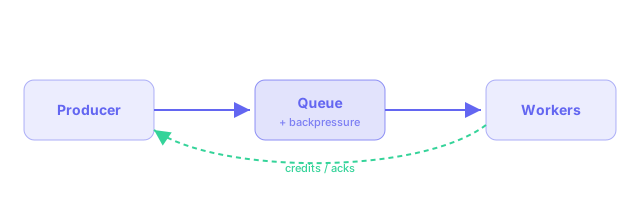
Drop an image into public/blog/ and reference it. Use <Figure> when you want
a caption:
Charts
Pass data and the keys to plot — no chart boilerplate. Supports line, bar,
and area:
Code, with highlighting
// Syntax highlighting comes for free.
function debounce<T extends (...args: never[]) => void>(fn: T, ms: number) {
  let t: ReturnType<typeof setTimeout>;
  return (...args: Parameters<T>) => {
    clearTimeout(t);
    t = setTimeout(() => fn(...args), ms);
  };
}
Inline code like npm run dev is styled too.
Tables and quotes
| Feature | How | Friction |
|---|---|---|
| New post | add a .mdx | tiny |
| Chart | <Chart .../> | tiny |
| Image | public/blog/ | tiny |
The best way to keep writing is to make starting trivial.
That's the whole toolbox. Copy this file as a starting point and write away.